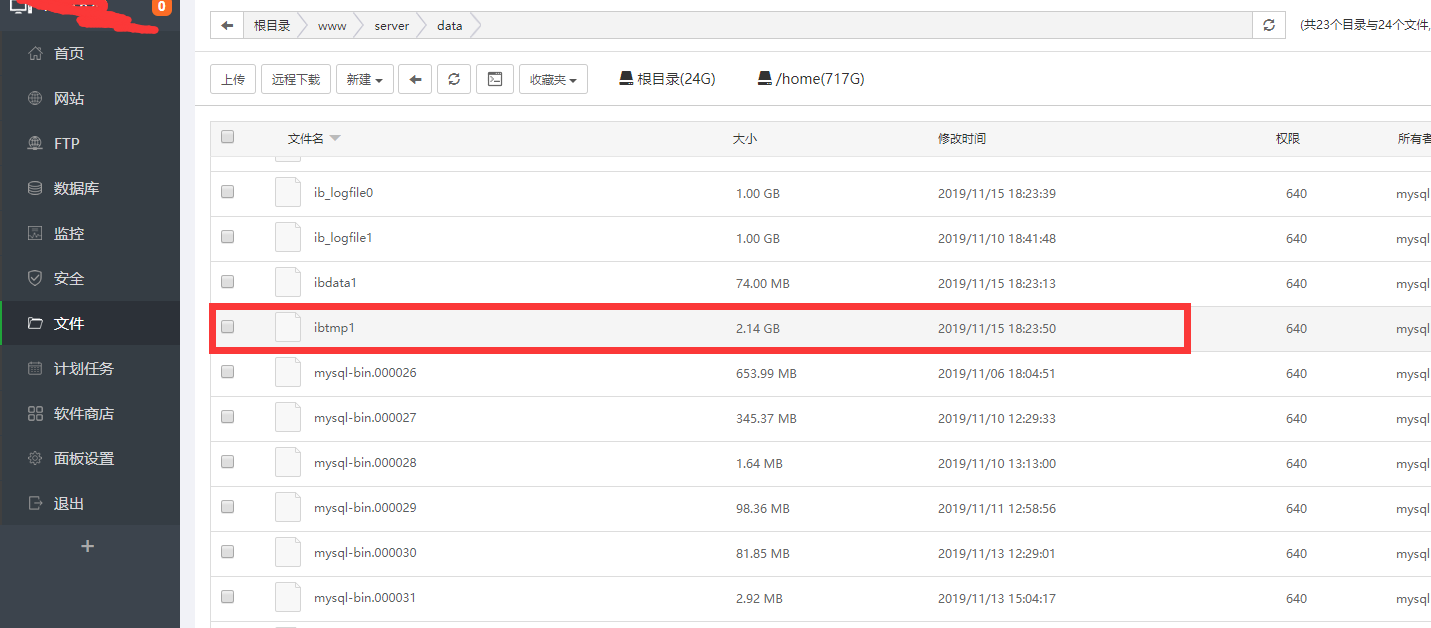
重启Mysql即可解决。
]]>
重启Mysql即可解决。
]]>return Typecho_Widget::widget('Widget_Metas_Category_List')->getCategory($mid);修改为
if (isset($mid)) {
        return Typecho_Widget::widget('Widget_Metas_Category_List')->getCategory($mid);
          // 处理获取到的分类信息
        } else {
          // 处理 $mid 未定义或为 null 的情况
}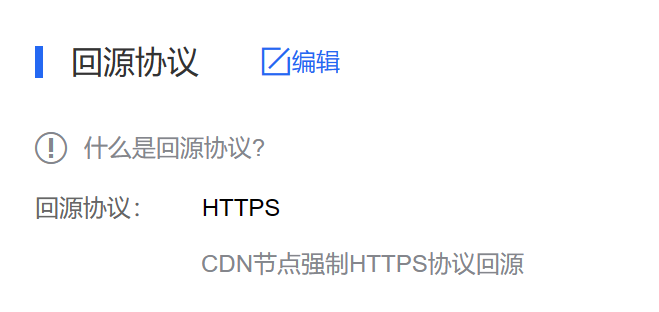
css无法加载主要原因是:CDN开启了https,回源协议却选择了http导致的。
回源协议改为https即可。
]]>我们可以通过添加计划任务(Shell脚本)的方式来实现自动重启Mysql。具体操作方法如下:
登陆宝塔面板后台 - 计划任务。任务类型:Shell脚本 任务名称:Mysql进程守护 执行周期:比如每10分钟监控执行一次,具体的周期请根据自己服务器实际情况来设置。
脚本内容:
pgrep -x mysqld &> /dev/null
if [ $? -ne 0 ];then
bash /www/server/panel/script/rememory.sh
/etc/init.d/mysqld start
fi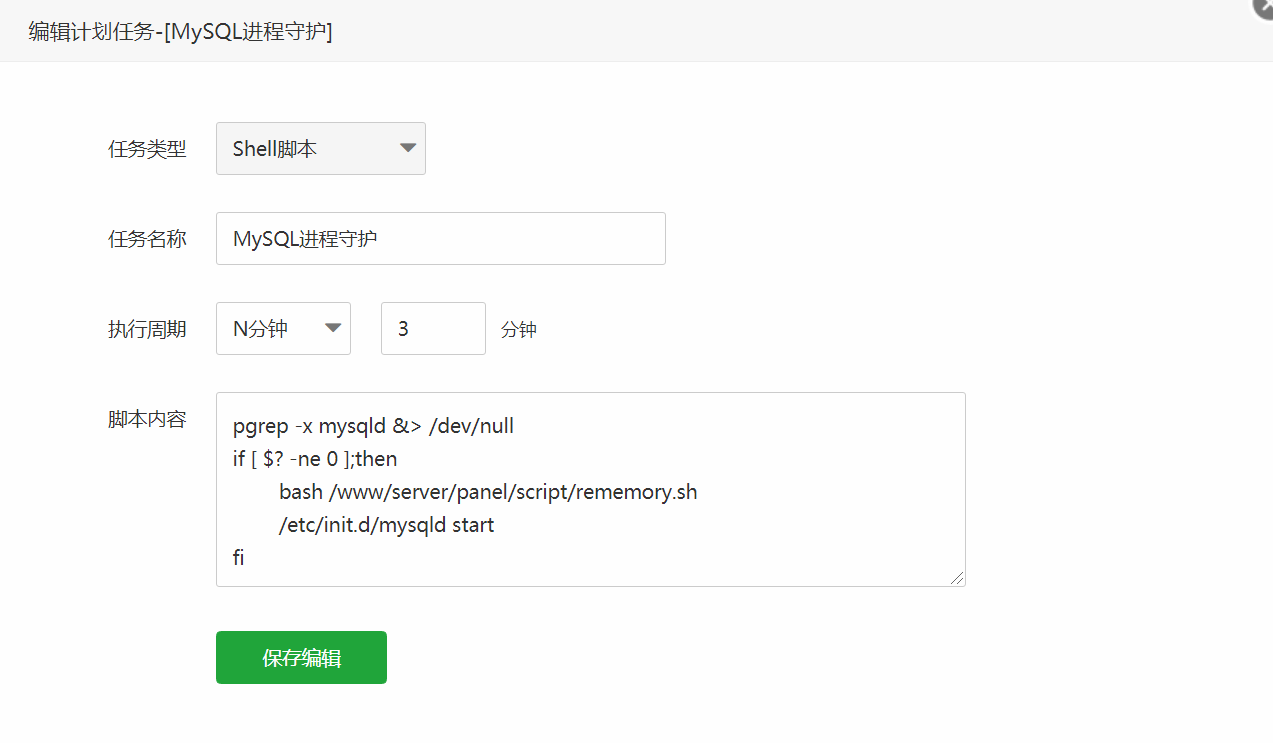
使用 Xshell 登录 SSH 后,使用以下命令清除宝塔SSL。
rm -f /www/server/panel/data/ssl.pl && /etc/init.d/bt restart以上命令会清除所有SSL证书。建议操作前先备份 /www/server/panel/data/ 文件夹。清除后自动关闭SSL。到面板再次输入SSL密钥跟证书启用即可。
]]>//获取IP
function GetIP(){
static $ip = '';
$ip = $_SERVER['REMOTE_ADDR'];
if(isset($_SERVER['HTTP_CDN_SRC_IP']) && preg_match('/^([0-9]{1,3}\.){3}[0-9]{1,3}$/', $_SERVER['HTTP_CDN_SRC_IP'])) {
$ip = $_SERVER['HTTP_CDN_SRC_IP'];
} elseif (isset($_SERVER['HTTP_CLIENT_IP']) && preg_match('/^([0-9]{1,3}\.){3}[0-9]{1,3}$/', $_SERVER['HTTP_CLIENT_IP'])) {
$ip = $_SERVER['HTTP_CLIENT_IP'];
} elseif(isset($_SERVER['HTTP_X_FORWARDED_FOR']) AND preg_match_all('#\d{1,3}\.\d{1,3}\.\d{1,3}\.\d{1,3}#s', $_SERVER['HTTP_X_FORWARDED_FOR'], $matches)) {
foreach ($matches[0] AS $xip) {
if (!preg_match('#^(10|172\.16|192\.168)\.#', $xip)) {
$ip = $xip;
break;
}
}
}
return $ip;
}$ip = '192.168.1.1'
if (filter_var($ip, \FILTER_VALIDATE_IP,\FILTER_FLAG_IPV4)) {
echo $ip;
}
$ip = '192.168.1.1'
if (filter_var($ip, \FILTER_VALIDATE_IP,\FILTER_FLAG_IPV6)) {
echo $ip;
}function get_domain(){
if ( ! empty($_SERVER['HTTPS']) && strtolower($_SERVER['HTTPS']) !== 'off')
{
$protocol = "https://";
}
elseif (isset($_SERVER['HTTP_X_FORWARDED_PROTO']) && $_SERVER['HTTP_X_FORWARDED_PROTO'] === 'https')
{
$protocol = "https://";
}
elseif ( ! empty($_SERVER['HTTP_FROM_HTTPS']) && strtolower($_SERVER['HTTP_FROM_HTTPS']) !== 'off')
{
$protocol = "https://";
}
elseif ( ! empty($_SERVER['HTTP_FRONT_END_HTTPS']) && strtolower($_SERVER['HTTP_FRONT_END_HTTPS']) !== 'off')
{
$protocol = "https://";
}else if(!empty($_SERVER['HTTP_X_CLIENT_SCHEME']) && $_SERVER['HTTP_X_CLIENT_SCHEME']=='https'){
$protocol = "https";
}else{
$protocol = "http";
}
if(isset($_SERVER['SERVER_PORT'])) {
$port = ':' . $_SERVER['SERVER_PORT'];
if((':80' == $port && 'http://' == $protocol) || (':443' == $port && 'https://' == $protocol)) {
$port = '';
}
}else{
$port = '';
}
if(isset($_SERVER['HTTP_X_FORWARDED_HOST'])) {
$host = $_SERVER['HTTP_X_FORWARDED_HOST'].$port;
}else if (isset($_SERVER['HTTP_HOST'])) {
$host = $_SERVER['HTTP_HOST'].$port;
}else if(isset($_SERVER['SERVER_NAME'])) {
$host = $_SERVER['SERVER_NAME'].$port;
}else if(isset($_SERVER['SERVER_ADDR'])) {
$host = $_SERVER['SERVER_ADDR'].$port;
}
return $protocol;
}
function goUrl(){
    var u = navigator.userAgent,
    isAndroid = u.indexOf('Android') > -1 || u.indexOf('Adr') > -1,
    isiOS = !!u.match(/\(i[^;]+;( U;)? CPU.+Mac OS X/),
    urls = {
        'android':'https://baidu.com', //安卓跳转URL
        'ios':'https://so.com', //IOS跳转URL
        'other':'https://sogou.com' //其他设备URL
    };
    if(isAndroid){
        window.location.href=urls.android;
    }else if(isiOS){
        window.location.href=urls.ios;
    }else{
        window.location.href=urls.other;
    }
}
goUrl();<a href="javascript:;" onclick="goUrl()">点击跳转</a>/*ios和安卓跳转 js*/
$(function(){
var u = navigator.userAgent;
var ua = navigator.userAgent.toLowerCase();
var isAndroid = u.indexOf('Android') > -1 || u.indexOf('Adr') > -1; //android终端
var isiOS = !!u.match(/(i[^;]+;( U;)? CPU.+Mac OS X/); //ios终端
if(ua.match(/MicroMessenger/i)=="micromessenger") { //微信内置浏览器+应用宝链接
$(".go").bind('touchstart', function (event) {
//跳转到下载地址 这块我写的是安卓下载地址
window.location.href='https://so.com'
});
}else{
if(isiOS){
$(".go").bind('touchstart', function (event) {
//跳转到ios地址
window.location.href='https://baidu.com'
});
}else if(isAndroid){
$(".go").bind('touchstart', function (event) {
//跳转到andriod下载地址
window.location.href='https://so.com'
});
}else{ //PC 端
$(".go").click(function(){
window.location.href='https://sogou.com'
});
}
}
});<a href="javascript:;" class="go">点击跳转</a> <?php
$agent = strtolower($_SERVER['HTTP_USER_AGENT']);
$iphone = (strpos($agent, 'iphone')) ? true : false;
$ipad = (strpos($agent, 'ipad')) ? true : false;
$android = (strpos($agent, 'android')) ? true : false;
$isPC = strpos($agent, 'windows nt');
if($iphone || $ipad)
{
header("Location: 苹果链接");
}
if($android){
header("Location: 安卓链接");
}
if($isPC){
header("Location: 其他链接(PC端)");
}
?>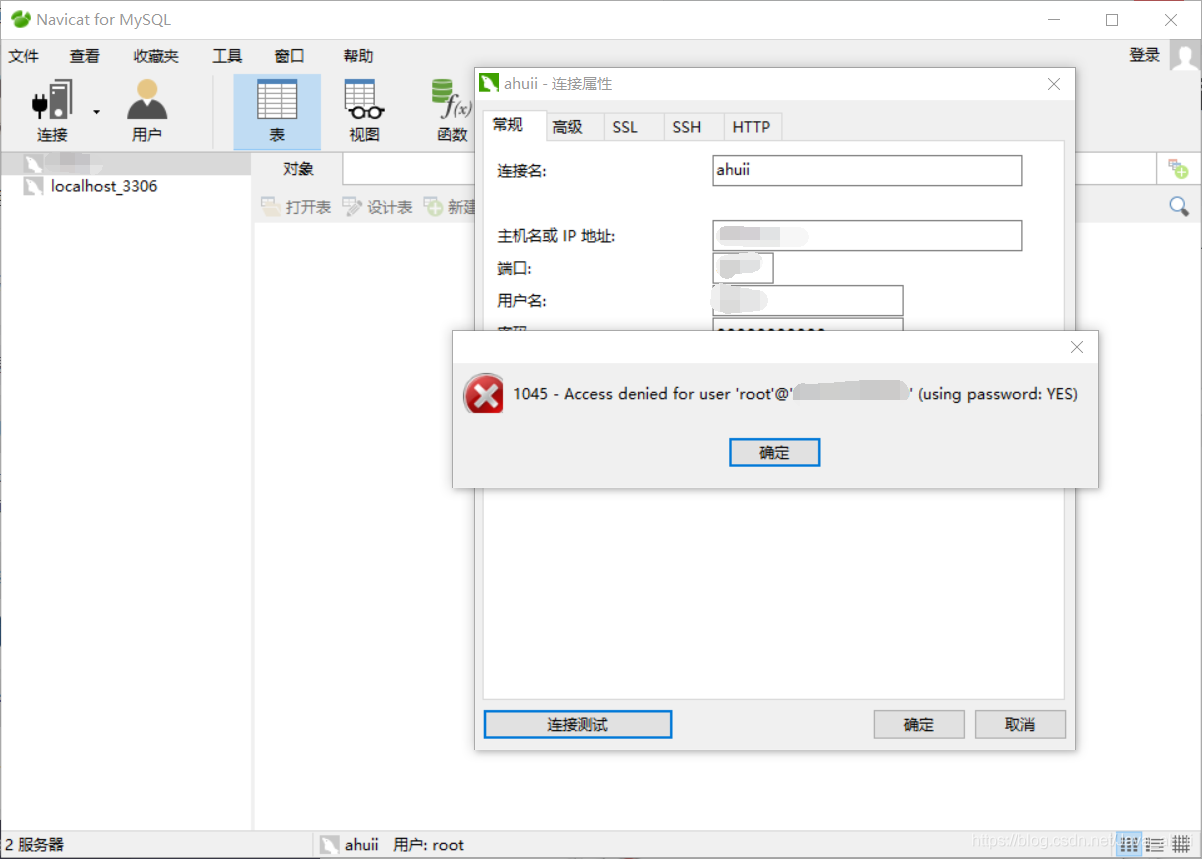
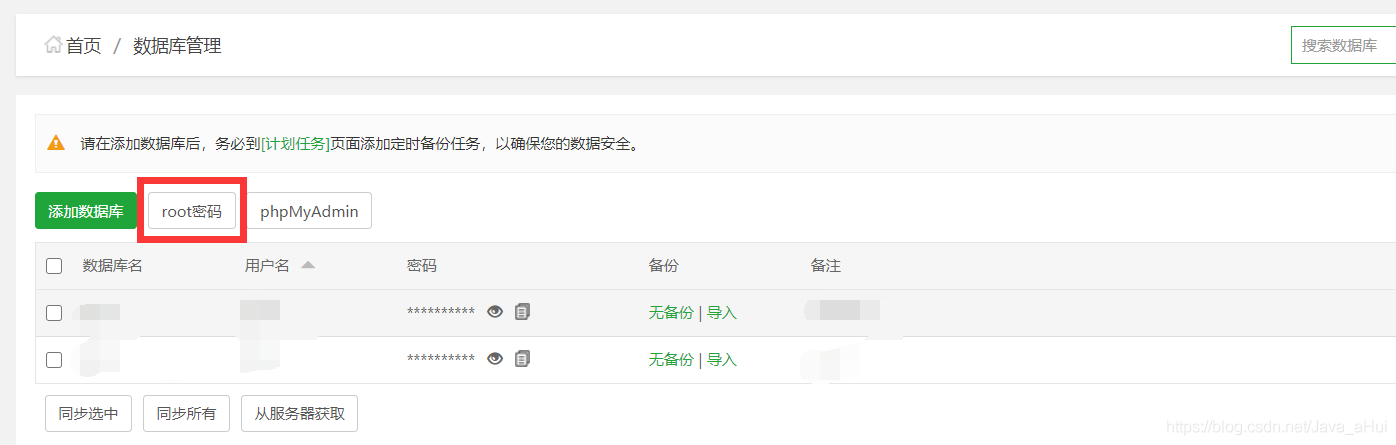
1、先查看宝塔Mysql root账号密码
2、登录服务器shell
推荐使用Xshell登录:https://blog.seo135.com/xshell.html
登录后,运行以下命令
mysql -u root -p继续执行修改验证模式命令
//MySQL8版本
ALTER USER 'root'@'localhost' IDENTIFIED WITH mysql_native_password BY '替换成你的root密码';

//MySQL5版本
GRANT ALL ON *.* TO root@'%' IDENTIFIED BY '替换成你的root密码' WITH GRANT OPTION;
修改完成后执行 FLUSH PRIVILEGES; 使刚才的修改立即生效
完成
]]>